Any source
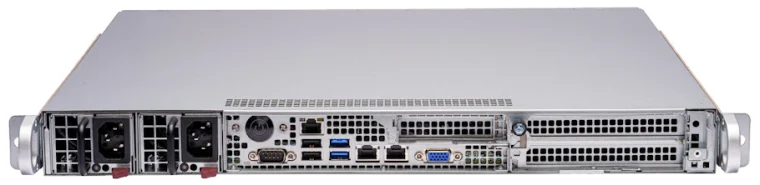
Anything with an HDMI output goes in through the HDMI Encoder: eight HD channels, or two in 4K with HDR. Cameras and other SDI sources go in through the SDI Encoder, sixteen in one rack unit.

Satellite and cable channels, your own cameras and your own content become one channel list, on every screen in a hotel, office, stadium or hospital: lobby displays, video walls, room TVs, phones and laptops.
A building with screens everywhere usually has a receiver or a player behind each one, or a coaxial network that cannot carry your own content. Changing what plays where means walking from screen to screen, and adding a channel, a camera feed or a presentation to every screen is a project of its own.
Satellite and cable receivers, media players, computers and cameras go into Framecastic encoders.
The IPTV Server turns them into one channel list for the building, with names, groups and logos.
A small set-top box behind a screen shows the channel list, and TVs and players that can open a playlist take it directly.
The same channels play in a web browser, with no box needed.
Anything with an HDMI output goes in through the HDMI Encoder: eight HD channels, or two in 4K with HDR. Cameras and other SDI sources go in through the SDI Encoder, sixteen in one rack unit.
The central server keeps every channel with its name, group and logo. One server carries more than 100 channels, and a channel added there appears on every screen.
User accounts and rights decide which channels each floor, department or room can see, so staff channels stay with staff and guests see the guest line-up.
A set-top box behind each screen boots straight into the channel list, with no one logging in. Guests and staff change channel with a remote control and an on-screen menu.
Each set-top box drives two screens, each showing one channel full screen or four at once, so a single box can build a small wall of eight channels.
Inside the building, channels go out as multicast: one stream per channel however many screens show it. Phones and laptops play the same channels in a browser, and a live viewer count shows which channels people are watching.
| Where | Unit | What it does |
|---|---|---|
| Sources with HDMI | HDMI Encoder | Eight HD channels, or two in 4K with HDR |
| Cameras and SDI sources | SDI Encoder | Sixteen channels in one rack unit |
| The centre | IPTV Server | One channel list for the building, 100+ channels |
| Behind each screen | IPTV Set-Top Box | Two screens, up to eight channels |
| TVs, phones and laptops | A TV or player that opens a playlist, or a web browser |
Remote access to a running system first, then a pilot with a few of your screens, with a written report you keep either way.