Live town halls
A camera in the room becomes a channel everyone can watch, on the screens and on their laptops, without joining a call.

A company channel, the CEO's town hall live from a camera, and the news channels people need, on every screen, meeting room and laptop across the office or the campus.
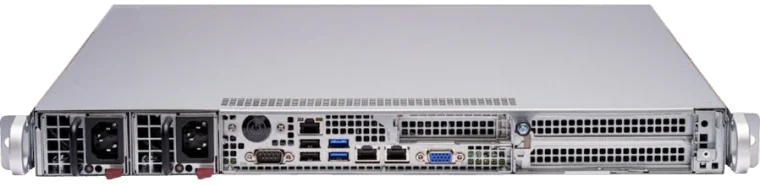
Screens in reception and on every floor often show something nobody chose, and a live address to the whole company goes out through a video call that half the people join late. Trading floors and newsrooms also need several channels at once.
Cameras, presentation computers and TV receivers go into our encoders. Anything with an HDMI or SDI output can become a channel.
The IPTV Server turns them into one channel list for the company, with names, groups and logos.
A set-top box behind a screen shows one channel or four at once, and starts by itself when the screen is switched on.
The same channels play in a web browser, with no software to install.
A camera in the room becomes a channel everyone can watch, on the screens and on their laptops, without joining a call.
News, results and safety messages from any computer with an HDMI output, on every screen in reception, on the floors and in the canteen.
If you want it, each department or site sees only the channels meant for it, so an internal briefing stays internal.
Four channels on one screen and two screens per box, for the desks that need several news channels at once.
Encoders at another office or site send their channels over the internet, so a town hall in one city plays in every office.
Inside a building each channel goes out once, however many screens show it. A live viewer count shows how many people are watching each channel.
| Where | Unit | What it does |
|---|---|---|
| Cameras and computers in | HDMI Encoder | Eight inputs per unit |
| Studio cameras in | SDI Encoder | Sixteen SDI inputs in one rack unit |
| The centre | IPTV Server | One channel list, 100+ channels |
| Behind each screen | IPTV Set-Top Box | Two screens per box, up to eight channels |
It puts company TV, live events and news channels on every screen and laptop in the company over the company network, from one central channel list.
Yes. A camera in the room becomes a channel, and encoders at other sites send their channels over the internet, so every office sees the same address.
No. The channels play in a web browser.
Yes. Each department or site can see only the channels meant for it.
Software licences are perpetual: you buy once and own them. An optional annual SLA covers support and updates. Prices are on request.
TV channels on every screen in a hotel, office, stadium or hospital, from one central system.
Your own channel line-up in every room, the lobby and the bar.

Know a channel has gone wrong before a viewer calls.
Remote access to a running system first, then a pilot on a floor or a site, with a written report you keep either way.
What we've built, once a month, two minutes to read. From the two of us, no tracking, leave any time.